AI Assistant
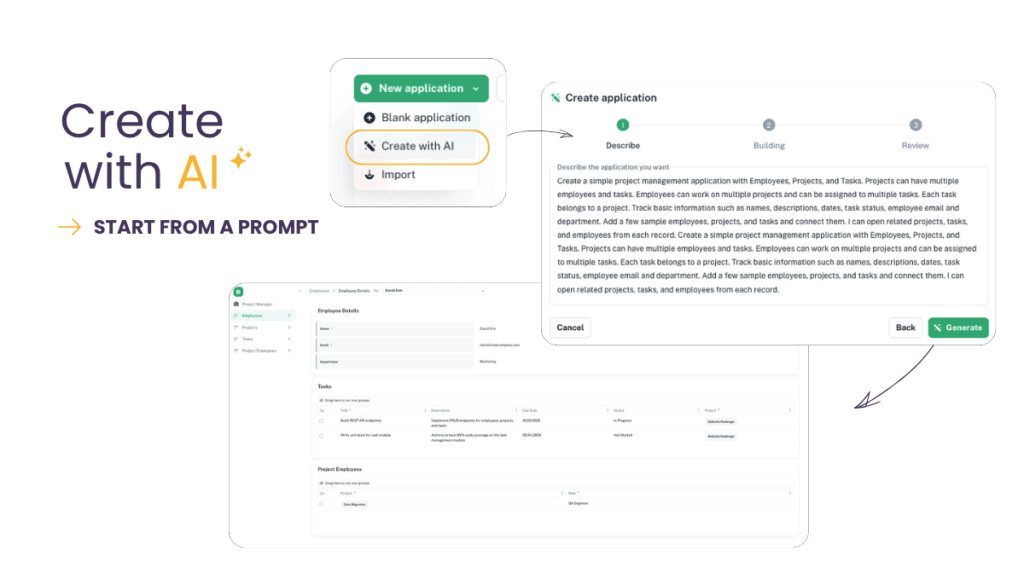
Auclio now includes a built-in AI Assistant that can build and modify applications through conversation.
Describe what you want in plain language and have the assistant create datasets, pages, and widgets for you. Generate an entire new application — workflows, datasets, sample data, pages, and widgets — from a single prompt.
Import an existing Excel file and use its data and structure as the starting point for a new application.
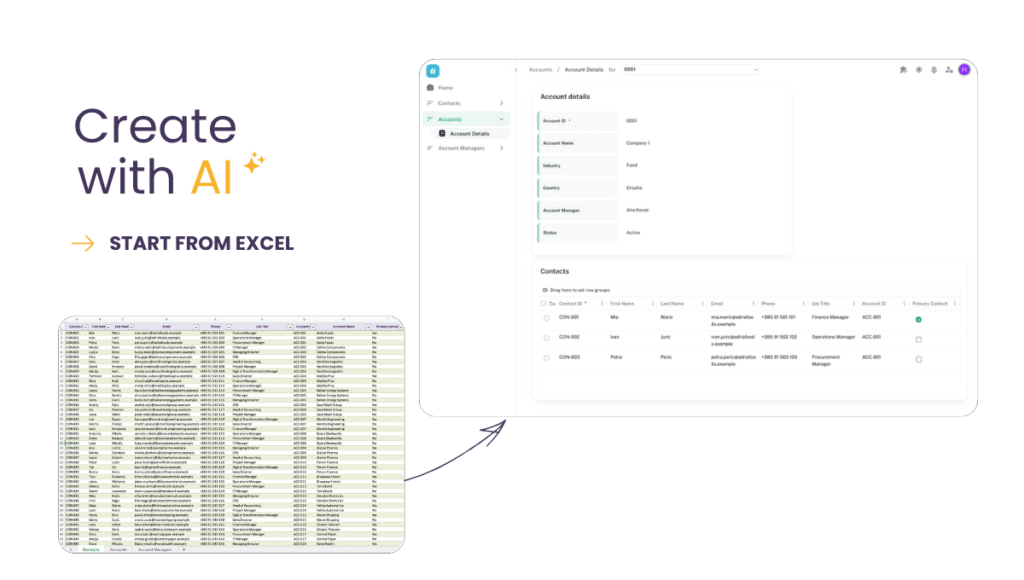
Assistant requests run in the background with live progress updates, so longer generations don’t tie up the interface
Every change the assistant proposes is shown before anything is applied, so you stay in control.
Watch examples:
Chart Widget
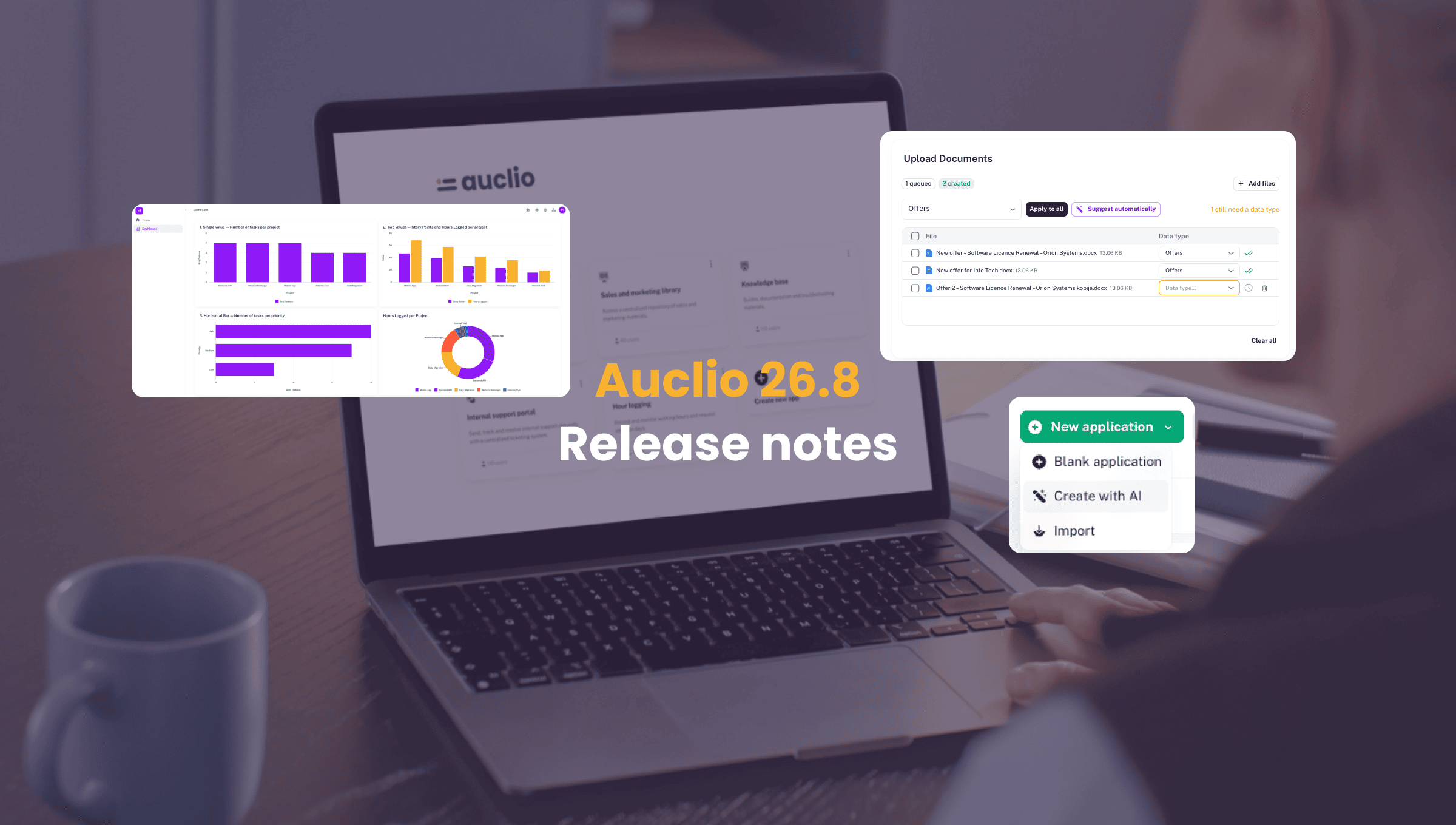
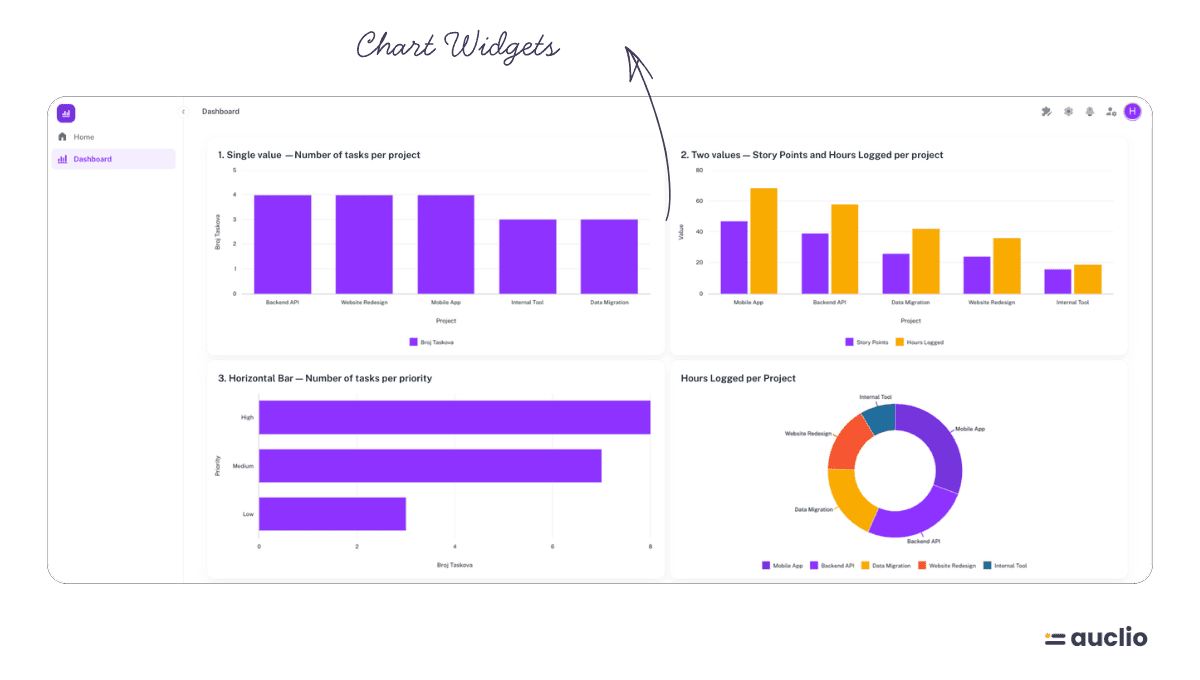
A new widget for visualizing data directly on a page.
- Summarize a dataset as a bar, line, or other chart type without leaving the page builder
- Group and aggregate data on the fly — counts, sums, averages, and more — with no separate report to configure
- Customize appearance, series, and highlights to match how the data should be read at a glance.
File Upload Widget
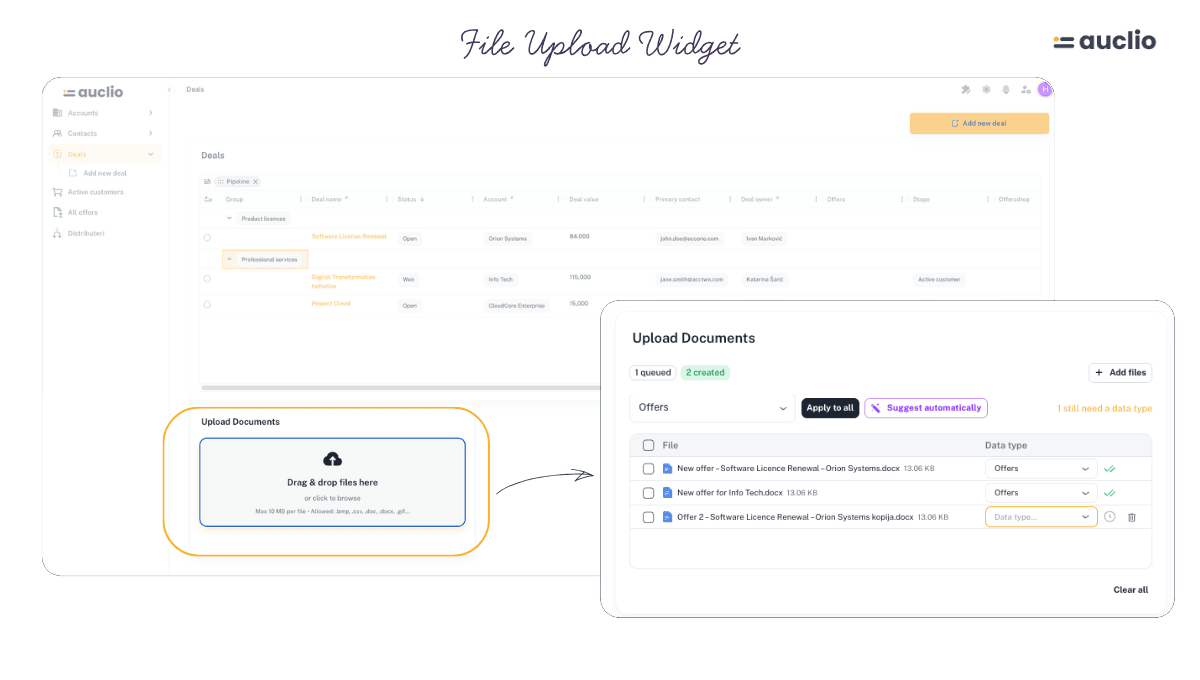
A dedicated widget for getting files into Auclio from a page.
- Let users upload one or many files directly into a dataset from any page
- Files upload straight to storage in the background, so large files don’t tie up the page
- Optionally, let Auclio suggest which dataset an uploaded document belongs to using AI-assisted classification
- Configure per-widget limits on file size, count, and type.
Aggregations in Card, Text & Button Widgets
Live calculated values are no longer limited to the new Chart widget.
- Show a live Count, Sum, Average, Minimum, or Maximum on a Card, Text, or Button widget
- Values update automatically as the underlying data changes
- Card widgets also gained click-to-navigate, so a summary card can double as a shortcut to the page it summarizes.
Support & Feedback
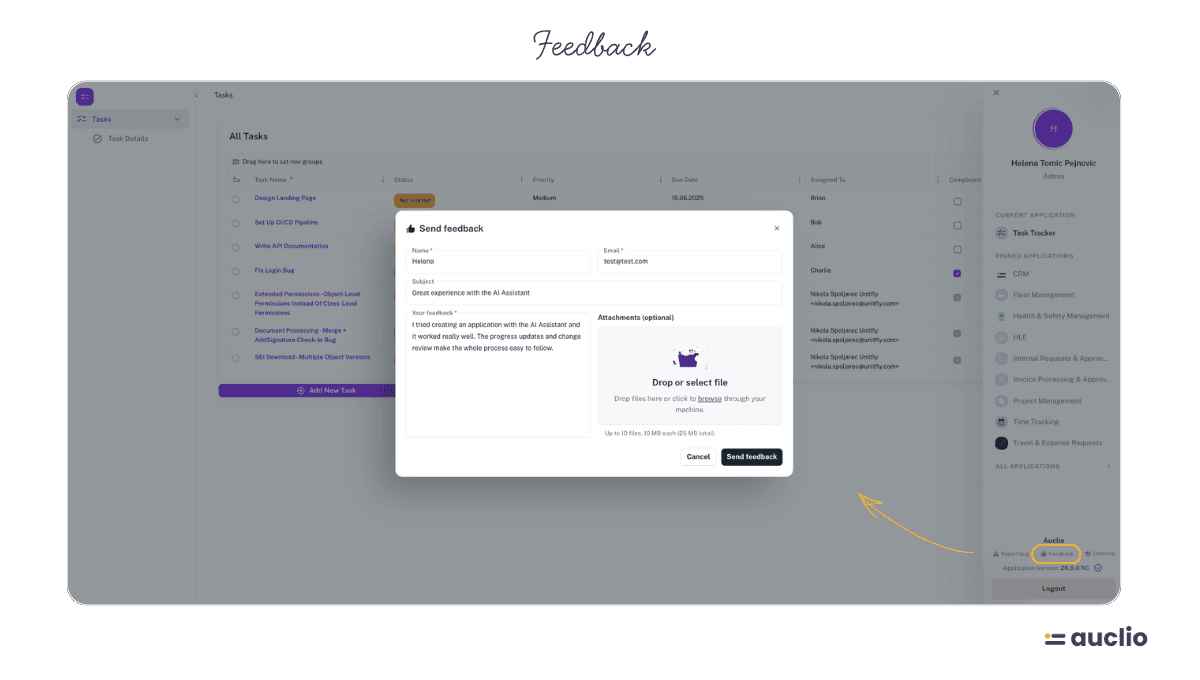
Getting in touch with the Auclio team is now built directly into the application.
- Send a support request or product feedback from the account menu, without leaving Auclio or opening an email client
- Attach files to a support request directly from the form
- Replies go straight to the email address you submitted from.
Divider Widget & Layout Improvements
Page layouts are easier to organize visually.
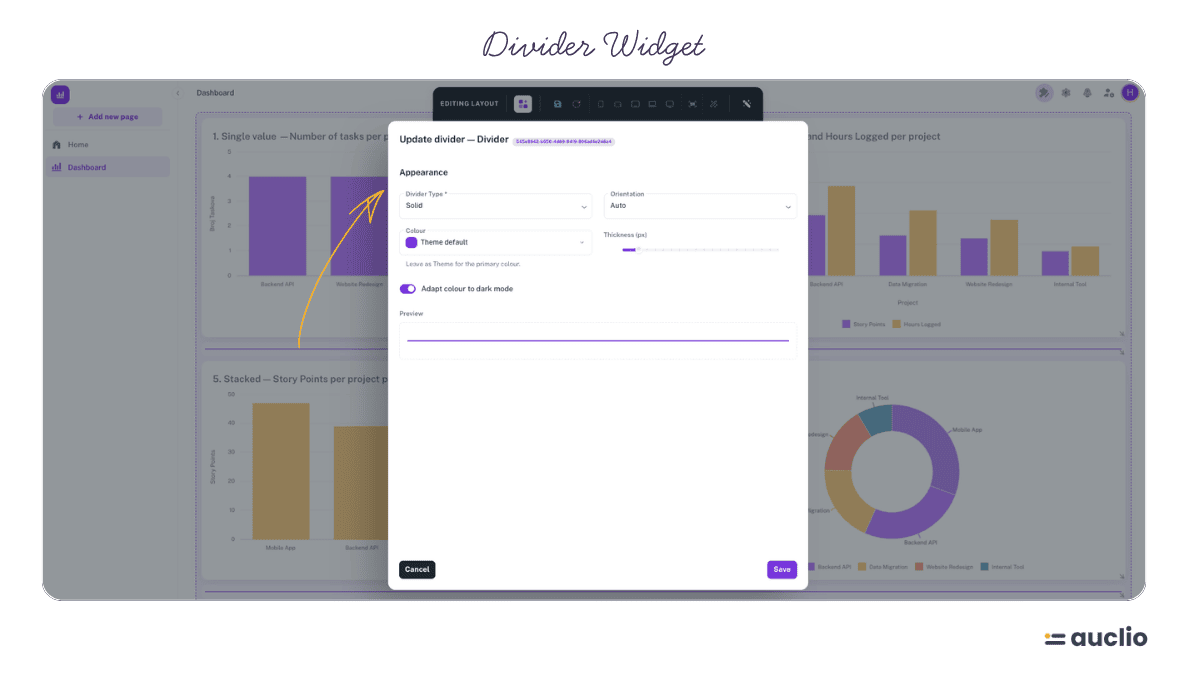
- New Divider widget for separating sections of a page
- Grid layouts support vertical compaction and customizable dividers between rows.
Workflows: Auto State Transitions for Local Datasets
Automatic workflow progression is no longer limited to M-Files-synced datasets.
- Configure a workflow to automatically move an object to its next state when custom conditions are met, for datasets stored directly in Auclio
- Automatic transitions are shown with a dotted line on the workflow diagram, so it’s clear at a glance which transitions happen on their own.
Auto-Calculated & Default Property Values
Properties can now do more of the work themselves.
- Configure a property to calculate its own value automatically based on other properties
- Set a default value that’s applied when a property is left empty, including on table and grid widgets.
File Read-Only Conditions
Fine-grained control over when file properties can be edited.
- Make a file property read-only based on conditions, such as an object’s current workflow state
- Applies consistently across object detail views, tables, and text grids.
Dataset Dependency Graph
A new way to see how an application’s data fits together.
- Visualize how datasets reference one another in a single graph view
- Makes it easier to understand the impact of changing a dataset before you make the change.
Application List Preferences
The application list now remembers how each person likes to view it.
- Ordering and view preferences for the application list are saved per user
- Preferences persist across sessions.
Header & Footer Widgets Across Pages
Managing shared page elements is faster.
- Apply a change made to a header or footer widget across every page that uses it, in one action
- Add widgets to a header or footer by dragging them in directly, instead of a separate configuration step.
M-Files Adapter Health & Licensing
Better visibility into the health of M-Files connections.
- Adapter connections now surface license-expiry and available-update warnings directly where connections are managed
- License duration now extends to match the subscription’s actual expiry date, and no longer attempts to auto-renew past it.
Dataset Usage
Dataset usage information is now always current.
- Usage figures are computed live rather than from a periodically refreshed cache, so they always reflect the current state of an application.
Also Improved
- Table widget: simplified first-time configuration, merged column setup into a single tabbed step, and various grouping and column-preference fixes
- Text grid: refreshed styling and a better editing experience for large text values
- Files: refreshed drawer and icon design throughout
- Guided product tour: updated content, and completed tours now stay marked as completed across sessions and devices
- Admin settings: admin-configured default settings can no longer be accidentally overridden or removed by a user
- Various fixes to permissions evaluation, date/decimal handling, dropdown behavior, and mobile navigation.