Here’s what’s new in Version 26.5
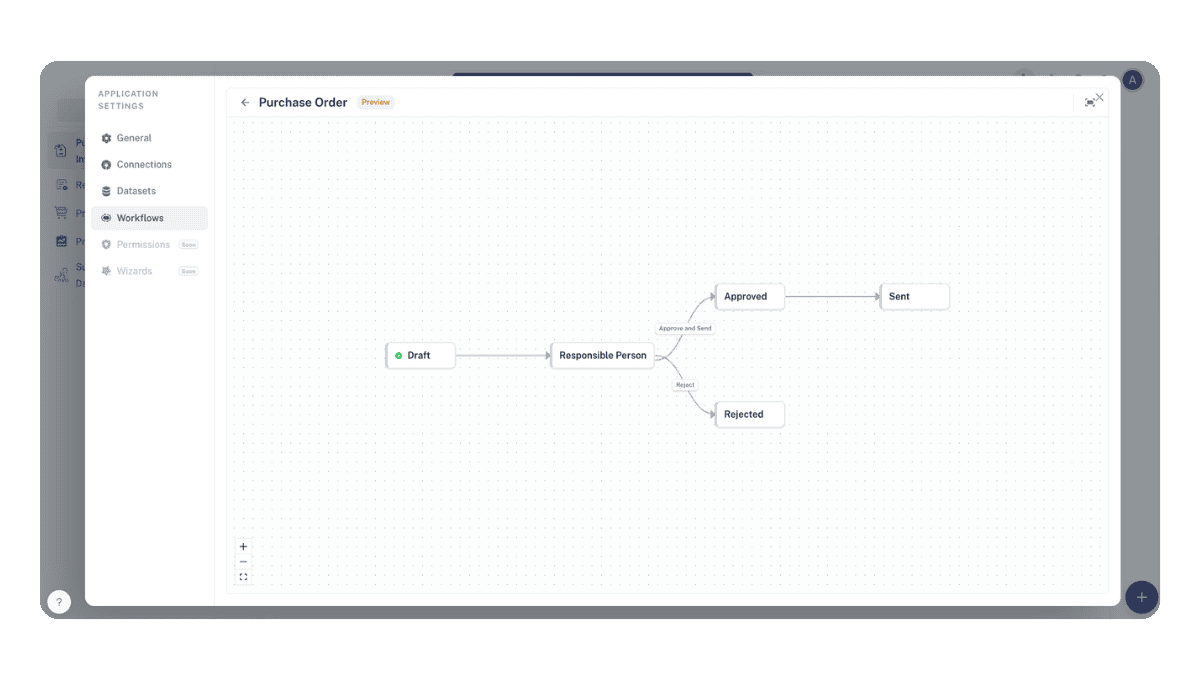
M-Files Workflows
M-Files workflow states are now fully synced and accessible throughout Auclio. Users can view and change workflow states directly in datasets, objects, table widgets, and text grids, and can configure workflow-based conditional logic.
- Workflows synced from M-Files appear in dataset and object detail views
- Workflow state can be changed directly from table widget and text grid rows
- Workflow and state property conditions are supported in configuration rules
M-Files Dataset Filtering Improvements
Additional filter operators are now available for M-Files dataset conditions.
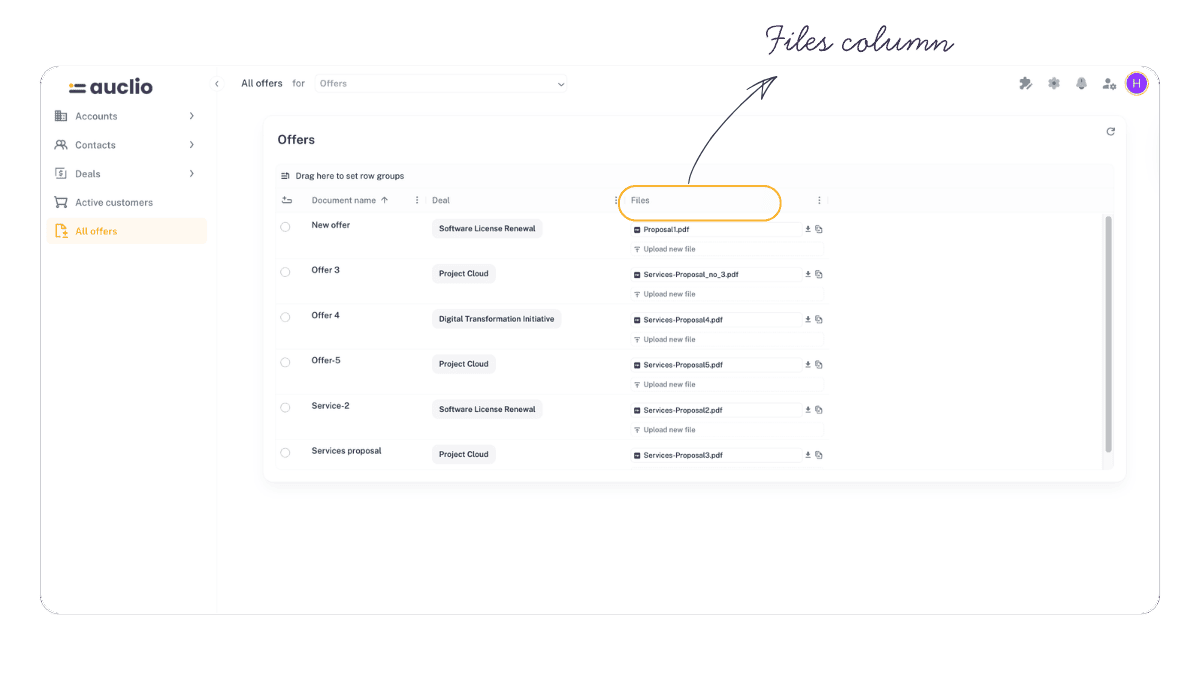
Files Column
A dedicated files column type is now available in table and text grid widgets, allowing file attachments to be managed without leaving the grid view.
- Upload, preview, download, and delete files directly from a table or text grid row
- Configurable file ordering, labels, and tooltips per column
- Form widget (DMM) now supports file upload in the same flow
- File staging logic respects maximum file limits; large file uploads no longer produce errors
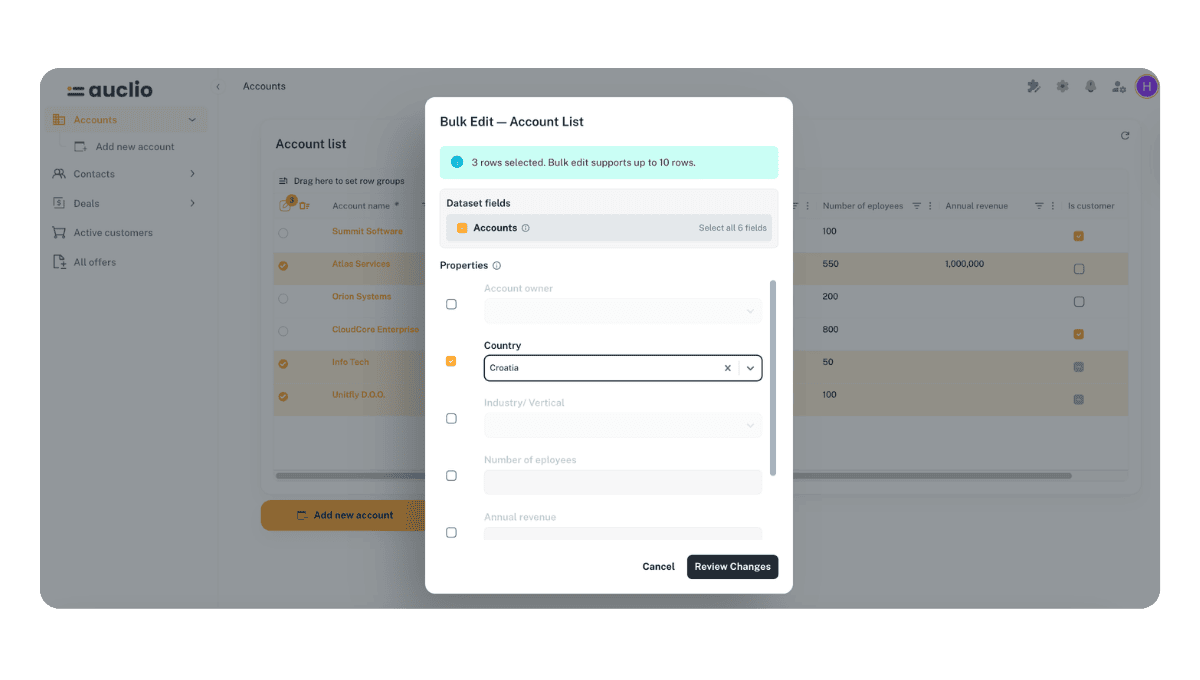
Bulk Edit in Table Widget
Multiple rows in the table widget can now be edited simultaneously.
- Select multiple rows and apply a value to a shared property in one action
- Changes are submitted to all selected rows in a single operation
Text Grid Enhancements
The text grid received several improvements for faster data entry and item management.
- Add multiple items in bulk directly from the text grid
- Auto-map items based on dataset field configuration
- Fixed incorrect input controls for datetime and time fields
Dataset Join Improvements
Dataset join functionality has been extended with new operators and direction control.
- Join direction is now configurable per dataset join definition
- “Contains” operator added for join conditions
Dropdown Filtering by Related Property
Dropdown options can now be filtered based on the value of another property on the same object.
- Configure a dependency between two dropdown fields so one filters based on the other
- Reduces irrelevant options and guides data entry in complex object forms
Configurable Dropdown Colors
Dropdown option values can have custom colors assigned in the dataset configuration.
- Color-coded dropdown values appear in table, text grid, and object form contexts
- Color coding is applied consistently across all widget types
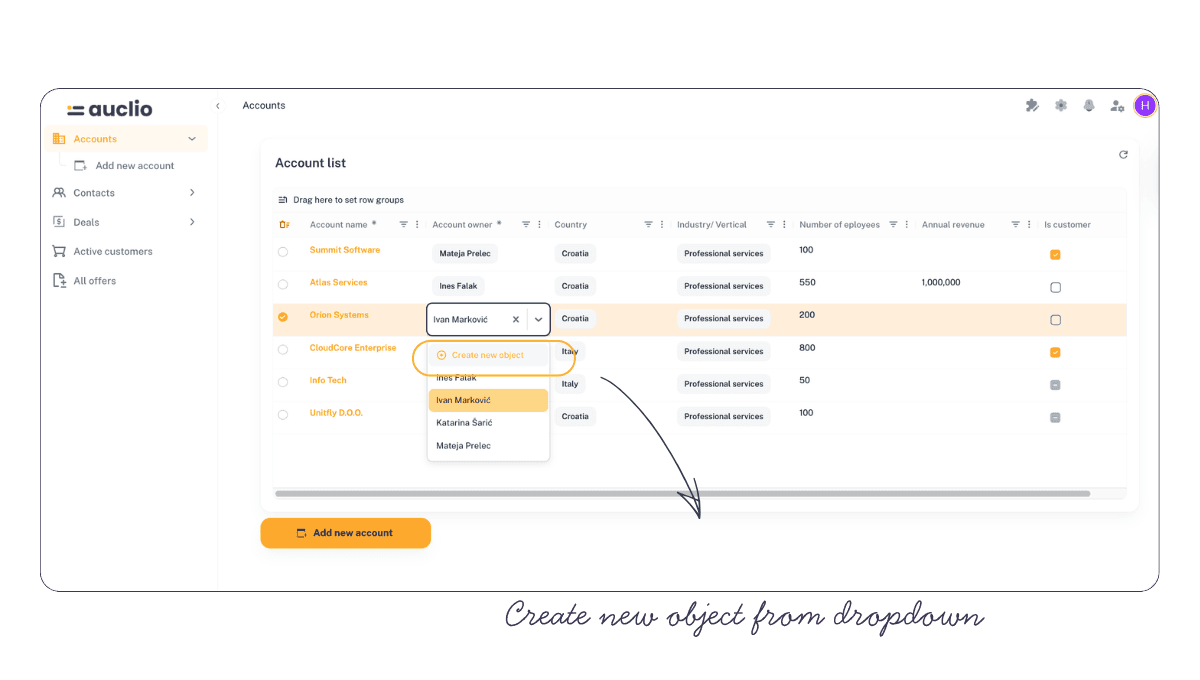
Create New Object from Dropdown
Users can create a new object directly from a dropdown selector inside a table or text grid row.
- A “Create new object” option appears at the bottom of dropdown lists when enabled
- Configurable per column in the widget settings
IsEmpty / IsNotEmpty Operators
New filter operators are now available across all property data types.
- “Is empty” and “Is not empty” conditions available in all filter and condition configurations
User Settings
Regional settings now include a configurable thousand separator.
- Users can set a preferred thousand separator in their profile settings
- Applied consistently to numeric values across the application
Mobile Version Improvements
The mobile experience for the table widget and general navigation received significant improvements.
- File and select column renderers adapted for mobile display
- Column auto-width and chip text color calculation fine-tuned
- Various fixes for mobile navigation, layout, and column moving behavior
Page Management
Page creation and configuration received several usability improvements.
- Parent page can be selected when creating or editing a page
- Navigating to a newly created page happens automatically after creation
- Default page icon is assigned when none is explicitly selected
- Breadcrumb navigation no longer carries over stale search parameters
Admin Settings Auto-Refresh
Changes made in admin settings now automatically refresh related widgets on the current page.
- No manual page refresh required after updating settings that affect widget behavior
- A manual refresh button has also been added to table and text grid widgets
M-Files Connections Configuration
M-Files Connections are now tied to M-Files vaults directly – they no longer require M-Files Web Service to be set up on the vault, only for M-Files Auclio Adapter to be installed and licensed.