Auclio 26.6: Permissions, user management and platform enhancements
Here’s what’s new in Version 26.6
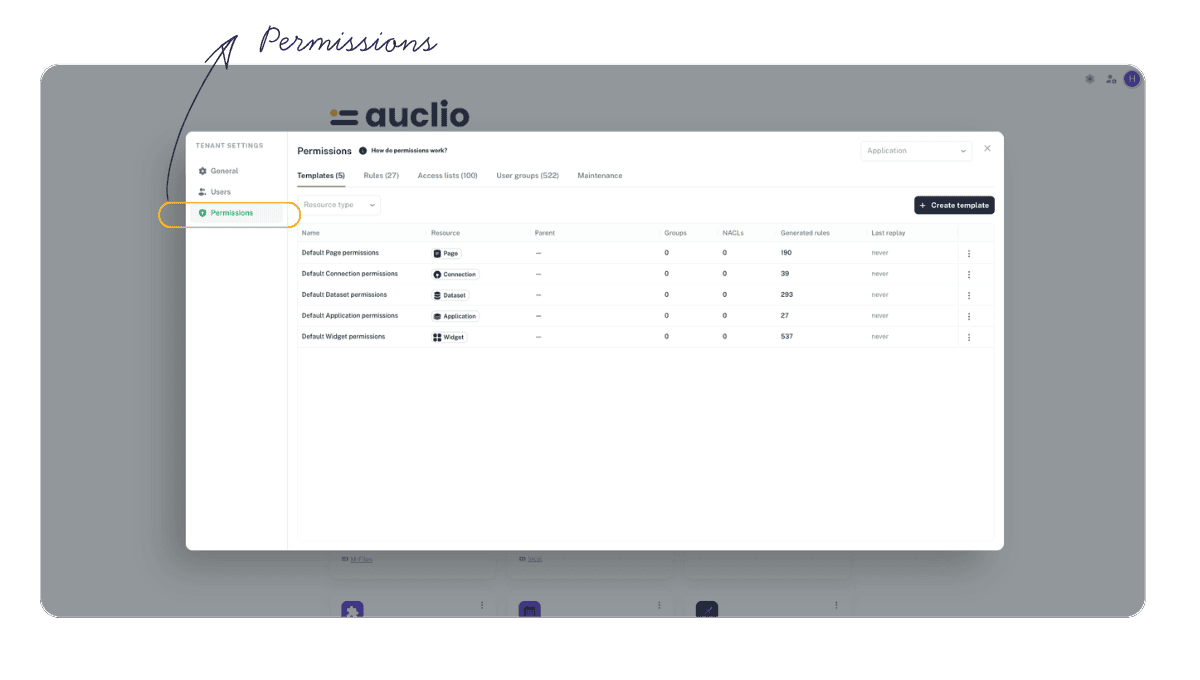
Permission System
A complete permission-rules engine is now built into the platform, giving administrators fine-grained control over who can access what.
- Create, edit, and organize permission rules from a dedicated management interface
- Target rules precisely using template property conditions
- Permission evaluation is faster and significantly lighter on memory
- Access rules apply consistently across applications and objects
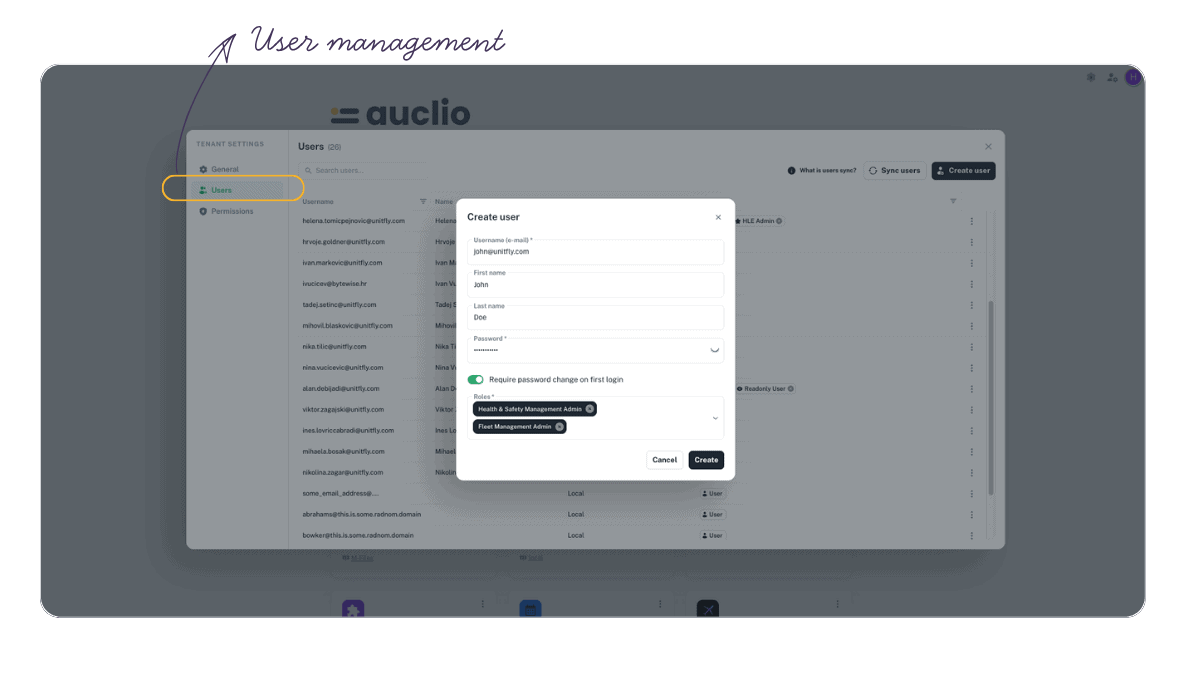
User Management
Users, groups, and memberships can now be managed directly within the platform.
- Manage users and user groups without leaving the application
- Configure group memberships and subject assignments
- Provides the foundation for cleaner onboarding and clearer ownership
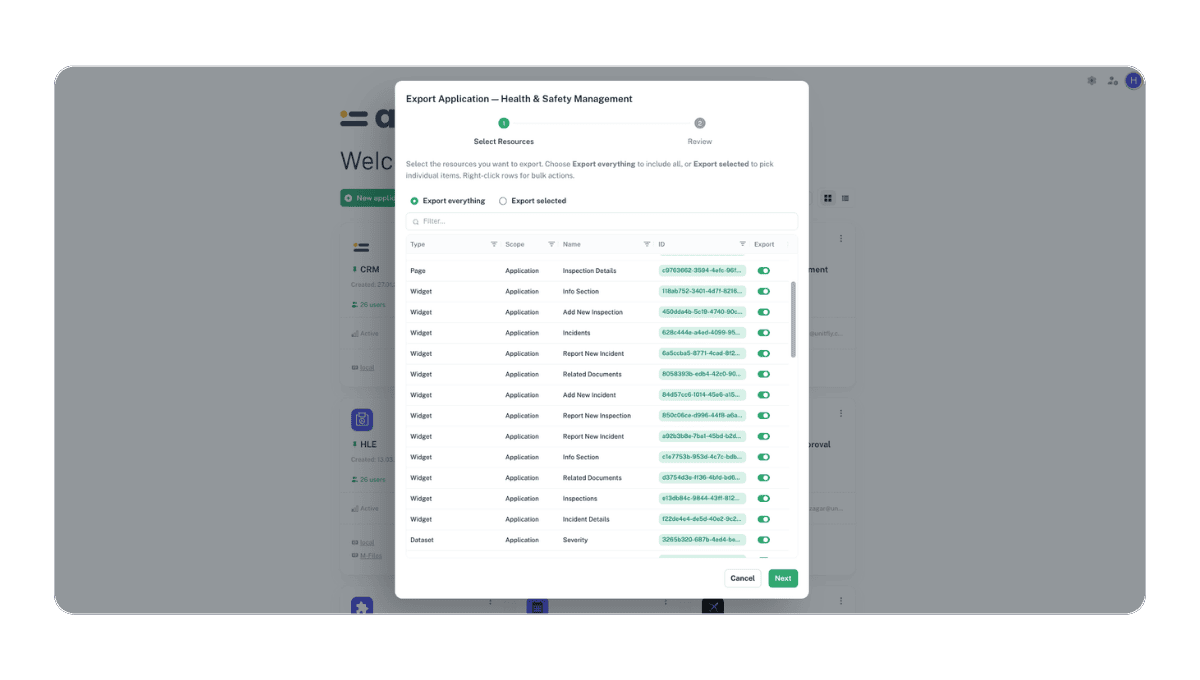
Application Structure Import & Export
An entire application’s structure can now be packaged and moved between environments.
- Export a full application configuration and import it into another environment
- Already-mapped connections are skipped automatically during import
- Post-import side effects are re-applied cleanly so the target is ready to use
- Adapter licensing continues to work through import/export, including VAF vault verification
M-Files Workflow State Colors
Workflow states can now be color-coded directly in Auclio.
- Admins can assign custom colors to M-Files workflow states
- Color coding appears consistently across boards, table widgets, and text grids
- Makes object status easier to read at a glance
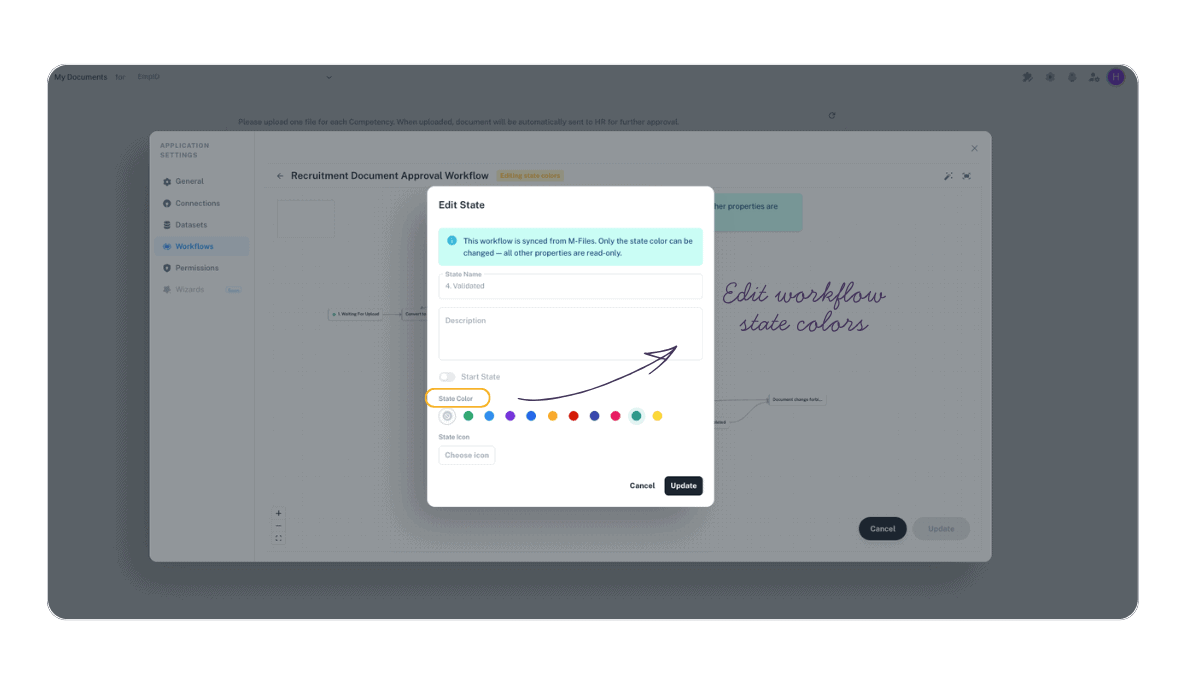
Table Widget Enhancements
The table widget received broader dataset access and several data-entry safeguards.
- Enhanced access to the underlying dataset for richer configuration
- OR and AND filter logic now behaves correctly, including numeric-value filtering
- State and Workflow filters display object names instead of internal IDs
- Multiple submissions when adding a new row are now prevented
- State-transition and update errors now show the real error message instead of a generic notice
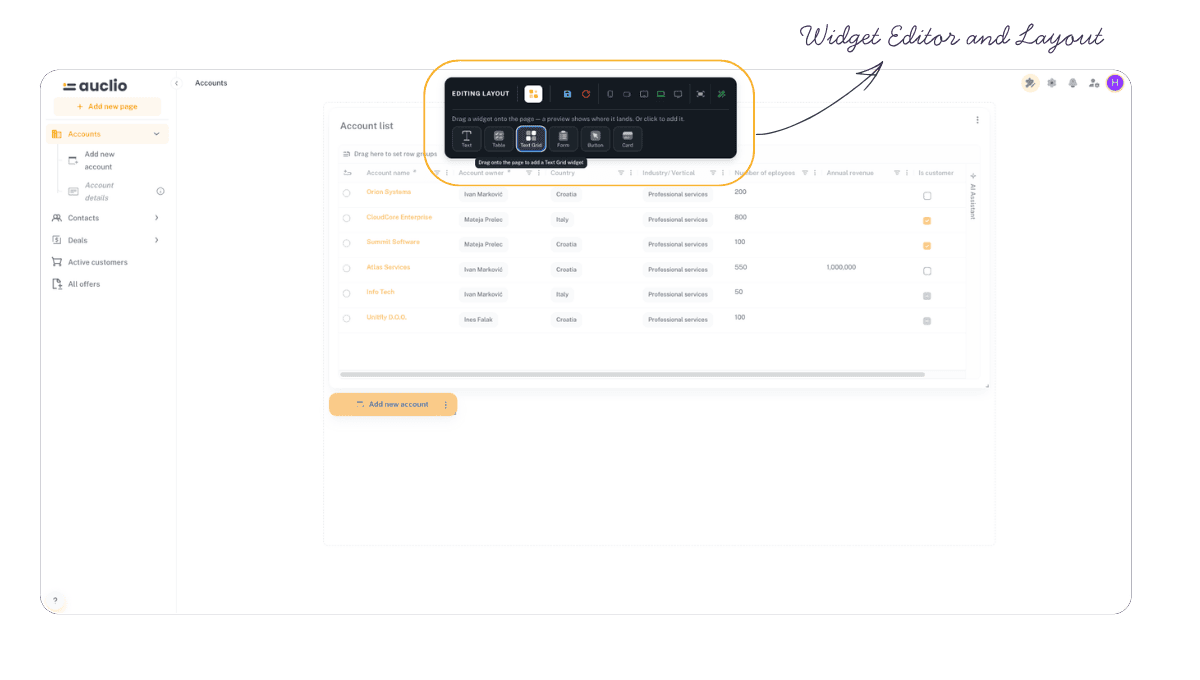
Widget Editor & Layout
Building and arranging widgets is faster and more intuitive.
- Redesigned “Add new widget” experience with drag-and-drop
- Widgets can be moved and repositioned with ease
- Per-widget “Enabled” setting to control widget behavior
- Layout editor refinements throughout
Parameters & Navigation
Working with page parameters and linked widgets is smoother.
- Change page parameters directly from a dropdown, including in the breadcrumb
- Enhanced parameter editor with hierarchical navigation
- Linked widgets highlight and focus when opened from the linked-widgets list, landing on the correct page position
Dataset Improvements
Datasets gained new configuration options and more reliable refresh behavior.
- Mark a dataset property as the object’s “Name or Title”
- “Is empty” and “Is not empty” conditions now work on dropdown properties
- Dataset refresh no longer fails after a property is removed
- Terminating a dataset refresh in Auclio now also stops the running M-Files tasks
- Multiple outgoing object events are shown for all affected datasets
Button & Text Widgets
Button and Text widgets now support custom text entry.
- Enter custom text directly in Button and Text widgets via the parameter field
App Selector
The app selector adapts to how each user works.
- Automatically hidden for users who only have access to a single app
- Cleaner navigation between apps
Identity Provider Configuration
Sign-in can now be tailored per tenant.
- Configure a default identity provider (IdP hint) for each tenant
- Provides a smoother, more direct login experience
Session Management
Sessions now end cleanly and predictably.
- The “Leave Site” dialog no longer repeatedly appears after an automatic logout
- Improved session and token handling
Files & Previews
File handling and previews are more reliable.
- File previews work correctly for non-PDF file types and after object versions are increased
- Cached previews and staging blobs are cleaned up when an object is updated externally
- File uploads are prevented when Read-Only is enabled
- Object creation now succeeds even when files in an M-Files dataset are read-only
Card Widget
Card preview now applies the configured main-text font size.